

Best Blur.me Alternative 2026: Free Video Anonymization with AI
Best Blur.me Alternative 2026: Free Video Anonymization with AI
Blur.me is an active browser tool for blurring faces, license plates and objects in photos and videos, sold as a monthly credit subscription [3]. This page compares it with YouBlur.com, a European tool sold as one-time credit packs, on the points you can check yourself: pricing model, cost per minute of video, free-plan limits, export quality and where your files are processed. Blur.me figures come from its public pricing page, checked on 17 November 2026.
TL;DR: Blur.me vs YouBlur.com
Bottom line: both tools detect and track faces automatically. They differ mostly on how you pay and on where your files go.
- Payment model: Blur.me is a subscription billed yearly; YouBlur.com sells one-time credit packs, with no recurring charge.
- Entry price: Blur.me Starter costs €72 per year for about 8 minutes of video per month; the YouBlur Basic pack costs €7.90 for about 28 minutes.
- Free plan: Blur.me's free exports are limited to 10 seconds, low quality, with a watermark [3].
- Hosting: YouBlur.com processes files on EU servers; Blur.me's pricing page does not state a location.
- Where Blur.me is ahead: it also redacts PDF pages with the same credits and lets you try its Studio without signing up.
1. Context: what Blur.me offers today
Blur.me is published by Jarasoft Inc. It blurs faces, license plates and objects in photos and videos, redacts PDFs, and includes a tracking feature called Magic Blur [2] [3]. People who look for an alternative usually do so for one of these reasons:
- The free plan is a preview. Exports are capped at 10 seconds, in low quality, with a watermark [3].
- Paid plans are subscriptions billed yearly. Starter is €6 per month (€72 per year), Pro €21.50 per month (€258 per year) and Business €33 per month (€396 per year), excluding tax [3].
- Credits are monthly. Starter includes 500 credits per month, which Blur.me equates to about 8 minutes of video. Unused credits carry over for up to 6 months [3].
- 4K and multi-file upload start at Pro. Starter exports are limited to 1080p [3].
- Processing location is not stated on the pricing page, which matters if you need to document where personal data is handled.
If you blur video every month and also need PDF redaction, a Blur.me subscription can be a good fit. If you blur occasionally, or need EU hosting, the comparison below is for you.
2. YouBlur.com: technical overview
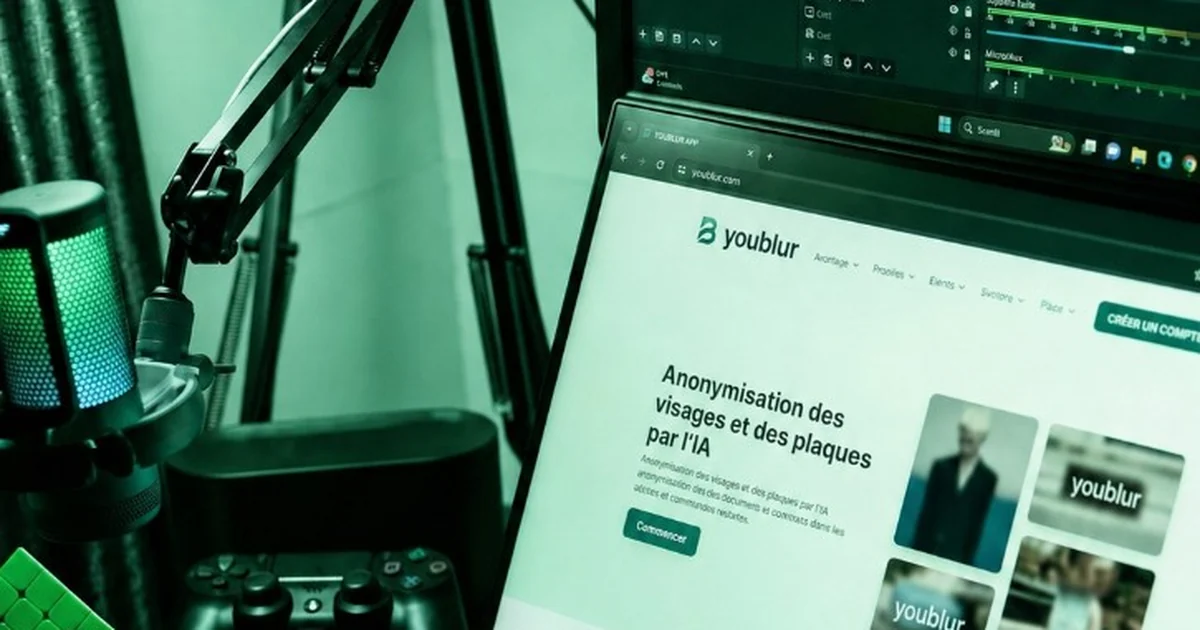
YouBlur.com is a European video anonymization tool and image anonymization platform. It operates entirely in the browser (no software installation required) and processes all data on EU-hosted servers [1].
2.1 Core capabilities
- AI detection. Proprietary machine learning models detect faces, license plates, sensitive documents, screens, and custom objects with high precision—even at challenging angles, in low light, or with partial occlusion.
- Automatic motion tracking. Detected subjects are tracked frame-by-frame throughout the video. The blur follows moving targets smoothly, eliminating the gaps common in tools without tracking [5].
- Quality assurance. An integrated QA layer scans the final output for any unblurred sensitive data before export. Potential leaks are flagged for manual review [6].
- Batch processing. Multiple files can be processed simultaneously, reducing total turnaround time for large projects.
- REST API. Available on Pro and MAX plans for programmatic integration into existing workflows, CMS pipelines, or automated processing chains.
- Multiple blur styles. Standard Gaussian blur, mosaic pixelation, or blackout—adjustable intensity and shape per target.
2.2 Supported formats
YouBlur.com accepts MP4, MOV, AVI, MKV for video and JPEG, PNG, WebP, RAW (DNG, CR2, ARW) for images. Export options include MP4, WebM, MOV, and ProRes/DNxHD on MAX plans.
3. Detailed comparison: Blur.me vs YouBlur.com
The following table summarizes the key differences between the two platforms across objective criteria.
| Criteria | Blur.me | YouBlur.com |
|---|---|---|
| Payment model | Subscription, billed yearly [3] | One-time credit packs; optional monthly Founder Pack |
| Entry price | €72 per year (Starter, €6 per month) | €7.90 once (Basic pack) |
| Video included at entry price | About 8 min per month (500 credits) | About 28 min (340 credits) |
| Free plan export | 10 seconds, low quality, watermark [3] | Free credits on sign-up; preview before export |
| Automatic face detection | Yes | Yes (faces and license plates) |
| Motion tracking | Yes (Magic Blur; full video tracking from Pro) [3] | Yes, automatic tracking |
| Max export resolution | 1080p on Starter, 4K from Pro | HD on Basic, 4K from Pro |
| Max file size | 2 GB (Starter) to 10 GB (Business) | Up to 10 GB (MAX) |
| Multiple files | From Pro; bulk batch on Business | On MAX packs |
| PDF redaction | Yes, same credits | Separate document redaction tool |
| Account required | Studio can be tried without signing up | Yes, free account |
| Processing location | Not stated on the pricing page | EU servers, automatic deletion [1] |
| Credit validity | Monthly; carry-over up to 6 months | 6 to 12 months depending on the pack |
4. Advantages of YouBlur.com over Blur.me
4.1 Superior detection and tracking
YouBlur.com's AI models are trained on diverse datasets covering varying angles, lighting conditions, and occlusion levels. YouBlur.com detects:
- Faces at oblique angles and in low-light environments
- License plates across international formats (EU, US, Asian standards)
- Sensitive text on documents, screens, and ID cards
- Full bodies and vehicles (available on MAX plans)
The automatic motion tracking algorithm follows subjects frame-by-frame, maintaining accurate blur placement even during rapid movement, camera shake, or zoom transitions [5]. This eliminates the "leaking" problem where unblurred frames briefly expose sensitive data—a known issue with tools lacking tracking capability [7].
4.2 Processing performance
YouBlur.com leverages cloud GPU infrastructure for parallel processing. Benchmarks on standard hardware show:
- 5-minute HD video: 3-5 minutes processing
- 30-minute HD video: 15-20 minutes processing
- Batch mode: 10+ videos processed simultaneously
4.3 Compliance and data security
Data protection regulations such as the GDPR (EU Regulation 2016/679) require that personal data—including facial images and license plates—be processed lawfully and securely [1]. YouBlur.com addresses these requirements through:
- EU-only hosting. All data is processed on servers located within the European Union.
- Encryption. AES-256 encryption in transit; TLS 1.3 for all connections.
- Audit logs. Full traceability of who processed what, when, and from where—essential for compliance audits [8].
- Automatic deletion. Videos are deleted within 24 hours of processing by default; an ephemeral processing mode is available for maximum privacy.
- No data mining. Uploaded content is never used for model training or analytics.
Blur.me's pricing page does not say where files are processed or stored (checked on 17 November 2026). If server location matters for your compliance file, ask the vendor before uploading.
4.4 User experience
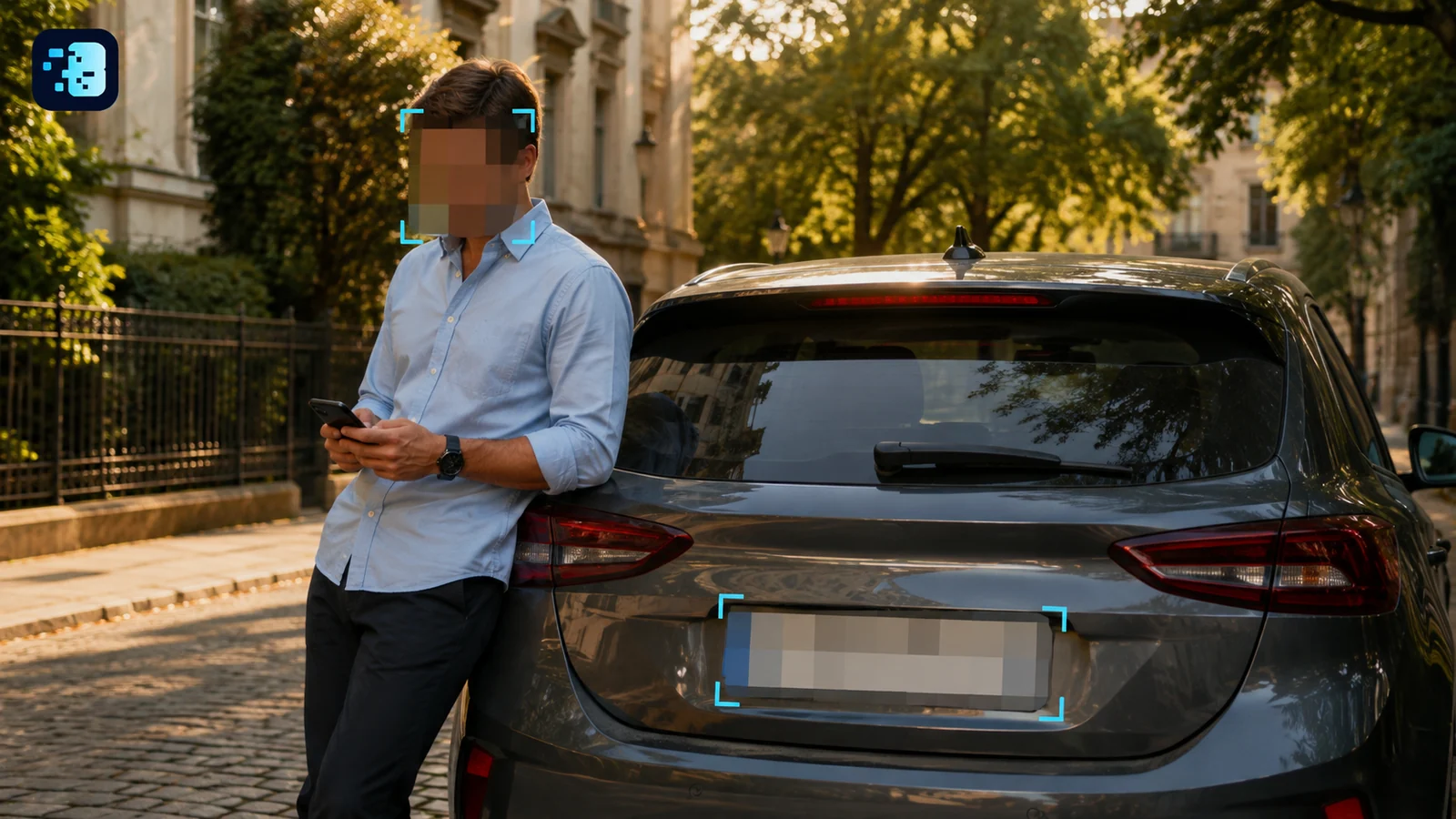
YouBlur.com is designed around a three-step workflow: upload, configure blur targets, export. No video editing expertise is required. Key UX features include:
- Real-time preview before export
- Adjustable blur intensity, shape (oval, rectangle, custom), and style per target
- Selective blurring—choose which faces to blur and which to leave visible
- Multiple export formats and resolution options (up to 4K)
5. Pricing comparison
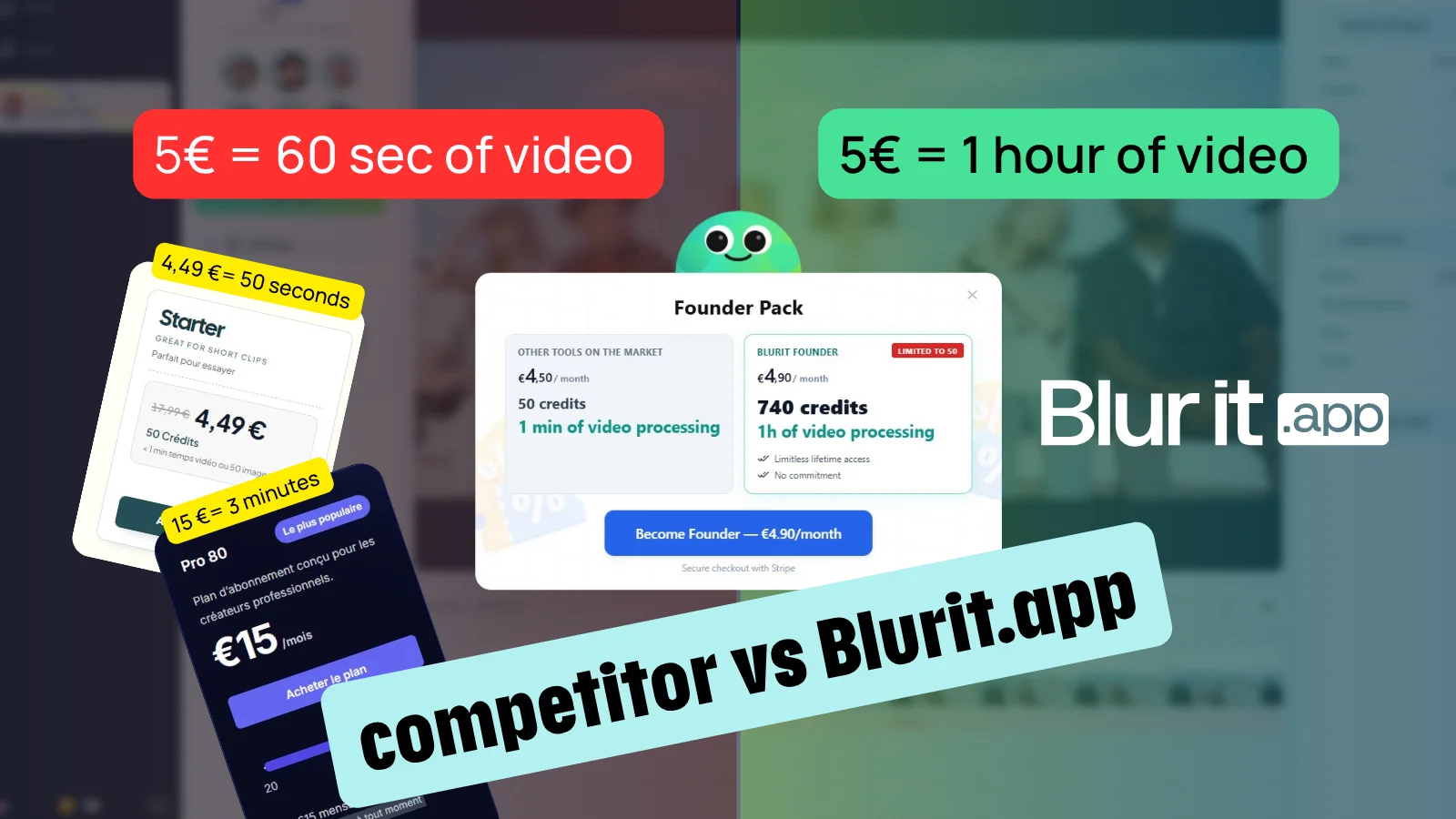
The two tools are priced differently, so the fairest comparison is the cost per minute of video. Blur.me sells monthly credits through a yearly subscription [3]; YouBlur.com sells one-time packs. Other alternatives such as VIDIO.ai [9] or Kapwing [10] are also subscriptions.
| Offer | Price | Credits | Video capacity | Approx. cost per video minute |
|---|---|---|---|---|
| Blur.me Starter | €6 per month, billed €72 per year | 500 per month | ~8 min per month | ~€0.75 |
| Blur.me Pro | €21.50 per month, billed €258 per year | 2,000 per month | ~33 min per month | ~€0.65 |
| Blur.me Business | €33 per month, billed €396 per year | 6,000 per month | ~100 min per month | ~€0.33 |
| YouBlur Basic | €7.90 once | 340 | ~28 min | ~€0.28 |
| YouBlur Pro | €14.90 once | 1,800 | ~2 hr 30 min | ~€0.10 |
| YouBlur MAX | from €39 once | 9,000 | ~12 hr 30 min | ~€0.05 |
Prices exclude tax. Blur.me figures from its pricing page, YouBlur figures from the YouBlur pricing page, both checked on 17 November 2026. Video capacity is each vendor's own estimate and depends on resolution. YouBlur credits are valid 6 to 12 months depending on the pack.

6. Use cases
6.1 Content creators and streamers
The challenge: Platforms like YouTube and TikTok increasingly require that non-consenting individuals be anonymized before publication [2]. Manual blurring is tedious, error-prone, and can take longer than the actual editing process. For creators publishing daily or weekly, this bottleneck is unsustainable.
The solution: Whether you need to blur faces online free or require professional-grade output, YouBlur.com delivers: upload raw footage, let the AI detect and track all faces automatically, review the preview, and export a ready-to-publish video in minutes. The entire process requires no video editing expertise.
Example: A vlogger filming in public spaces can automatically blur all background faces while maintaining video quality and respecting privacy. A 10-minute vlog that would take 2+ hours to manually blur is processed in under 5 minutes with YouBlur.com.
6.2 Businesses and HR departments
The challenge: Training videos, customer testimonials, warehouse walkthrough footage, and internal communications often contain identifiable employee or visitor faces. Under GDPR, organizations must ensure lawful processing of such personal data [1]. Non-compliance can result in fines up to 4% of annual global turnover.
The solution: Process videos through YouBlur.com before distribution. The platform provides both the anonymization capability and the audit trail required for compliance documentation—essential for internal audits and regulatory reviews.
Example: A company creating onboarding training materials can blur all employee faces in warehouse and office footage, ensuring GDPR compliance while maintaining instructional clarity. The audit log documents exactly who processed what, when, and from where.
6.3 Journalists and news organizations
The challenge: Protecting sources and witnesses while maintaining visual quality is a core ethical obligation in journalism [11]. News deadlines leave no room for hours of manual blurring, and a single missed face can endanger vulnerable individuals.
The solution: YouBlur.com processes videos in minutes with professional-grade anonymization. The REST API allows newsrooms to automate the entire workflow, integrating directly into CMS pipelines and editorial toolchains.
Example: A journalist covering sensitive protests can blur all participant faces in recorded footage within minutes, protecting identities while preserving the story's visual impact. The API integration allows the anonymization step to be automated as part of the publishing pipeline.
6.4 Law enforcement and security
Body camera footage, surveillance video, and evidentiary material require precise redaction with full audit trails [7]. YouBlur.com's motion tracking ensures that moving subjects remain blurred throughout, while audit logs document every processing action for legal compliance.
6.5 Healthcare and medical
Patient privacy regulations (GDPR, HIPAA) demand careful handling of medical video content [12]. YouBlur.com's automatic deletion and EU hosting make it suitable for healthcare organizations processing patient-facing video.
6.6 Real estate and mapping
Street-level imagery, virtual tours, and mapping datasets require systematic anonymization of faces and license plates at scale. YouBlur.com's batch processing and API handle large volumes efficiently [6].
7. How YouBlur.com compares to other Blur.me alternatives
Beyond the direct Blur.me comparison, it is useful to understand how YouBlur.com positions against other tools frequently cited as alternatives [9] [10]:
| Tool | Auto face detection | Motion tracking | API | GDPR compliant | Free tier |
|---|---|---|---|---|---|
| YouBlur.com | Yes (faces, plates, objects) | Yes | REST API | EU hosting, audit logs | Founder Pack: €4.90/month (1 hour); Basic: €7.90 (340 credits, one-time) |
| Blur.me | Yes | Yes (Magic Blur) | Not listed on pricing page | Location not stated | 10 s, watermark [3] |
| VIDIO.ai | Yes (multi-face) | Yes | Not documented | Not specified | 15 sec preview [9] |
| CapCut | Partial (desktop only) | No | No | No (ByteDance/China) | Free (watermark) |
| VEED.io | No (manual) | No | No | Not specified | Free (watermark) [10] |
| DaVinci Resolve | No (manual tracking) | Manual | No | Offline (local) | Free (no watermark) |
8. Frequently Asked Questions
You get free credits when you create an account, enough to test detection and tracking on a short clip. After that, YouBlur.com sells one-time credit packs: Basic at €7.90 (340 credits, about 28 minutes of video), Pro at €14.90 and MAX from €39. There is no mandatory subscription.
Yes. All plans—including Basic—allow commercial use. For high-volume enterprise needs, custom plans with dedicated support and SLA guarantees are available on request.
Yes. Videos are processed on EU-hosted servers, encrypted with AES-256 in transit, and automatically deleted within 24 hours after processing. YouBlur.com does not store, back up, or analyze your content. Full GDPR compliance is documented with audit logs [1].
Most videos process in 1-5 minutes. A 30-minute HD video typically takes 15-20 minutes. Processing speed depends on video length, resolution, and the number of detected objects.
Yes. You can blur faces, license plates, documents, logos, screens, or custom objects simultaneously. Adjust blur style and intensity per target before export.
Yes. The web application is fully responsive and works on phones, tablets, and desktops. No app download required—everything runs in your browser.
Yes. The REST API (Pro and MAX plans) allows programmatic video processing. MAX plans also support webhooks, Zapier integration, and direct S3/GCS storage connections [6].
YouBlur.com includes an integrated QA layer that scans the final output for potential leaks. A manual editor also allows you to add, adjust, or remove blurs before exporting. You always have final control.
Basic: up to 1 GB. Pro: up to 5 GB (~2h HD). MAX: up to 10 GB with no practical duration limit.
DaVinci Resolve is a powerful free editor but requires manual tracking and blur placement—a time-consuming process demanding video editing expertise. YouBlur.com automates the entire workflow with AI, delivering results in minutes without any editing skills [10].
The best Blur.me alternative is here
This video anonymization tool delivers superior AI, fast processing, and full GDPR compliance. Test YouBlur.com for free.
Start free trialUp to 10 GB, 100% online, no installation
References
- [1] European Union. Regulation (EU) 2016/679 of the European Parliament and of the Council (General Data Protection Regulation). Official Journal of the European Union, L 119/1, 2016. https://gdpr-info.eu/
- [2] Blur.me. "Why Privacy Protection Matters in Video Content." Blur.me Blog, 2025. https://www.blur.me/blog/best-face-blur-tool-privacy-protection/
- [3] Blur.me. "Pricing." Checked on 17 November 2026. https://www.blur.me/pricing/
- [4] Wondershare Filmora. "Activate Face Blur in Videos Online with These 5 Tools." https://filmora.wondershare.com/ai-efficiency/blur-face-in-video-online.html
- [5] YouBlur.com. "GDPR Video Content Compliance: Face and License Plate Blurring Requirements Guide." https://youblur.com/en/blog/gdpr-video-content-face-license-plate-blurring-compliance-guide/
- [6] YouBlur.com. "Video Anonymization for ADAS and Mobile Mapping: Quality Pipeline." https://youblur.com/en/blog/anonymisation-video-adas-mobile-mapping-pipeline-qualite/
- [7] SecureRedact. "Top 7 Video Redaction Software Companies." https://www.secureredact.ai/articles/top-video-redaction-software-companies
- [8] European Data Protection Board. "Guidelines 3/2019 on Processing of Personal Data through Video Devices." EDPB, 2020. https://edpb.europa.eu/
- [9] VIDIO.ai. "Best Alternatives to Blur.me for Face Blurring in Videos." https://www.vidio.ai/blog/article/best-alternatives-to-blur-me
- [10] Toolsmart. "Blur Face in Video: Top 5 Best Tools Recommendation." https://www.toolsmart.ai/blog/blur-face-in-video/
- [11] Reuters Institute. "Digital Journalism Ethics: Privacy and Source Protection." University of Oxford, 2023.
- [12] U.S. Department of Health and Human Services. "HIPAA Privacy Rule." https://www.hhs.gov/hipaa/
Further reading
- How to Blur Faces in Video with AI: Complete Guide (2026)
- How to Blur License Plates in Videos Automatically
- YouBlur.com vs Fluendo Anonymizer: Large-Scale Video Anonymization
- YouBlur.com vs Plate Recognizer: Blurring vs ALPR
- Best Fotor Alternative for Face Blurring (2026)
- Best Wondershare Alternative for Video Anonymization
- Top 5 Tools to Pixelate Faces in 2026
- Audio Anonymization: Voice Distortion and Privacy Protection Guide
- OCR Text Redaction: Automatic Sensitive Information Protection
- UK GDPR and Data Protection Act: Video Privacy Compliance
Transparency note: This article compares Blur.me and YouBlur.com based on publicly available information. Blur.me pricing and features were checked on its website on 17 November 2026 and may have changed since. The author is affiliated with YouBlur.com. We strive to remain factual and welcome corrections.